How to Block Snapchat on iPhone (and Keep Your Streaks)
How to block or restrict Snapchat on iPhone step by step, on iOS 27 and iOS 16 to 26, without breaking your streaks or losing the chats that matter.
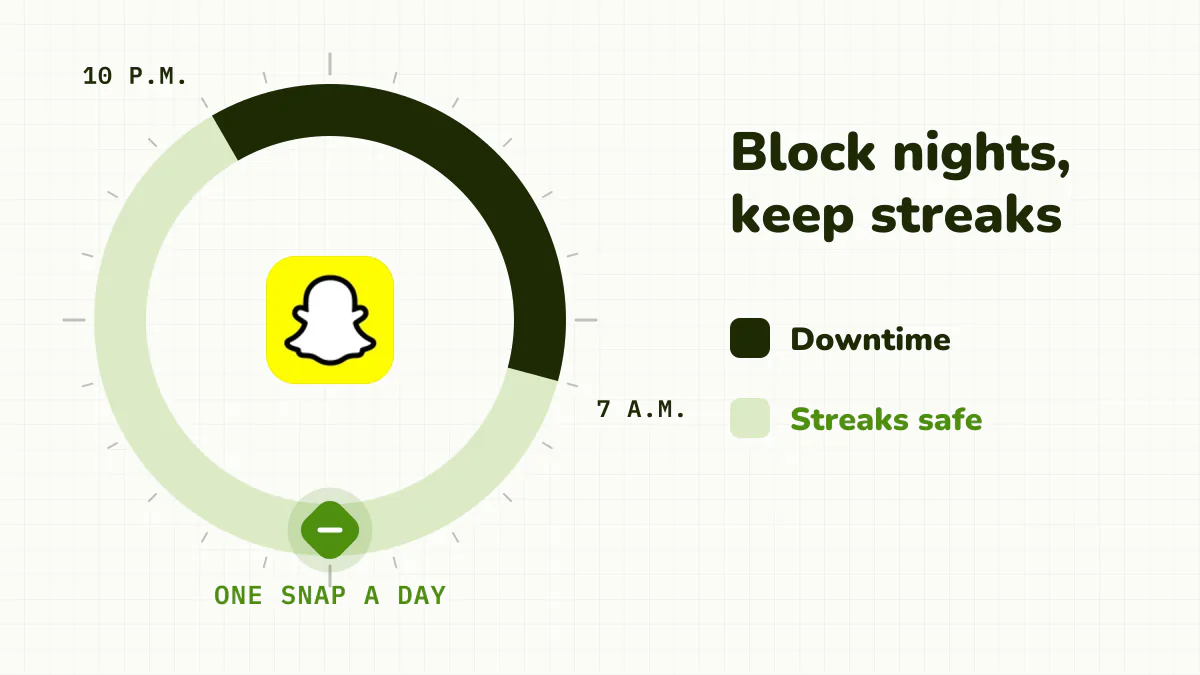
To block Snapchat on iPhone without killing your streaks, use a night window rather than a tight daily limit, and cut notifications to friends only. Streaks need one snap a day; what eats your time is Spotlight and Stories. Block the long sessions, keep the quick replies.
Check your version in Settings > General > About. On iOS 27, App Limits are now Time Allowances (Settings > Screen Time > Time Allowances) and Downtime is Screen Time Schedule. On iOS 16 to 26, the App Limits steps below still apply.
Quick answer
- Nights: Screen Time Schedule (iOS 27) or Downtime (iOS 16 to 26), Snapchat off Always Allowed. Streaks survive.
- Daily cap, iOS 27: a short Time Allowance on Snapchat's category.
- Daily cap, iOS 16 to 26: App Limits > Snapchat, Block at End of Limit on. Send your streak snaps first.
- Notifications: friends' messages only.
- Keep chats, lose Spotlight: a session limit that lets short opens through.
Why is Snapchat so hard to put down?
Snapchat runs on social obligation. Streaks reward opening it every day. Disappearing snaps create urgency. Snap Map turns checking on friends into a reflex. Then Spotlight, its endless short-video feed, catches you once you're in.
Part of it really is keeping up with friends, which is what makes it hard to limit without guilt.
How do I block Snapchat on iOS 27?
iOS 27 (September 2026) replaced App Limits with Time Allowances, which work by category, such as Social Media.
- Open Settings > Screen Time > Time Allowances. If asked, tap Turn On App & Website Activity.
- To limit every social app, tap Social Media and drag its slider down.
- To limit Snapchat alone, tap Manage Categories > + and create a category for it. Apple documents creating categories, not one holding a single app; early hands-on reports say you can choose which apps a category holds.
- Set a short allowance, leaving a few minutes for streak snaps.
- Check Settings > Screen Time > Always Allowed doesn't list Snapchat.
- Lock it: Manage Screen Time > Lock Screen Time Settings.
At night: Screen Time Schedule, turn on Schedule, Add Schedule, pick the days and a window like 10 p.m. to 7 a.m. that doesn't allow Snapchat's category.
Apple's iOS 27 guide doesn't mention Block at End of Limit or say what the limit screen offers for an allowance you set yourself; early hands-on reports say Ignore Limit is still there. The new features need version 27 on all your Apple devices.
How do you block Snapchat on iOS 16 to 26?
- Open Settings > Screen Time and turn it on if needed.
- Tap App Limits > Add Limit.
- Find Snapchat and select it.
- Pick a time. 1 minute is a near-total block (and risky for streaks); around 20 minutes is a cap.
- Turn on Block at End of Limit. This needs a Screen Time passcode (Settings > Screen Time > Lock Screen Time Settings, or Use Screen Time Passcode on iOS 16).
Without a passcode, you just get Ignore Limit. See how to remove "Ignore Limit".
How do you block Snapchat at night without losing streaks?
On iOS 16 to 26, Downtime is the streak-safe option.
- Settings > Screen Time > Downtime.
- Turn on Scheduled and pick your hours, for example 10:00 p.m. to 7:00 a.m.
- Under Always Allowed, make sure Snapchat isn't listed.
Streaks only need a snap once in about 24 hours, so a night window won't break them. It just ends the late-night Spotlight session. If you also want the website closed, add snapchat.com under Content & Privacy Restrictions > Web Content > Never Allow. On iOS 27, Apple doesn't document a website block list for your own iPhone; see how to block websites on iPhone.
What can you change inside Snapchat?
Snapchat has no personal daily limit. Its Family Center lets parents see a teen's contacts, but it isn't a screen time tool for adults. What helps:
- Cut notifications. Profile > ⚙️ Settings > Notifications: keep messages from friends, drop the rest.
- Turn on Ghost Mode on Snap Map, so checking where everyone is feels less like a feed.
- Let a few streaks end. Many people find that's the moment Snapchat loses its grip.
A Face ID lock (long-press the icon, Require Face ID) keeps others out but opens instantly for you.
Why don't these blocks hold?
Snapchat blocks fail on guilt. A tight limit threatens your streaks, so you ignore it. A friend snaps after Downtime starts and you add Snapchat to Always Allowed "just for tonight". And because snaps take seconds, a daily allowance vanishes into dozens of tiny opens before you even reach Spotlight.
Every built-in block can also be undone by the person who set it. See Screen Time loopholes.
How do you block Snapchat so it holds?
Detox (iPhone and iPad) is built for that shape: lots of short, useful opens and a few long, wasted ones.
- Add Snapchat to a Detox rule.
- Set a session limit, say 20 minutes in a row. Opening a snap and replying is fine. Once you have been in Snapchat continuously past your limit, usually deep in Spotlight or Stories, it locks for a short break.
- Let quick snaps reset the count. A couple of minutes away and it goes back to zero, so your streak snaps never add up to a lockout.
- Add a schedule to block Snapchat every night from 10 p.m.
- Choose your Unblocks. If a friend really needs you mid-block, Allowed lets you open just that app for up to 15 minutes after a short wait. Pick None if you know you'll abuse it, and turn on Strict mode so you can't edit or delete the rule while it blocks.
It's iOS only and paid, with a free trial.
The bottom line
Use Downtime at night to protect your sleep without breaking streaks, cut notifications to friends only, and save the tight daily cap for when you're ready to let streaks go. If you want to keep replying but stop losing time to Spotlight, a limit on continuous use fits much better than a daily total.
Related: How to block Instagram on iPhone · How to block TikTok on iPhone · Phone addiction: signs and what helps
Frequently asked questions
How do I block Snapchat on iPhone?
On iOS 16 to 26, Settings > Screen Time > App Limits > Add Limit, select Snapchat, set a time and turn on Block at End of Limit. Set a Screen Time passcode, ideally held by someone else, so the limit can't be dismissed with a tap.
How do I block Snapchat on iOS 27?
App Limits became Time Allowances, which work by category. In Settings > Screen Time > Time Allowances, give Snapchat's category (or one you create for it under Manage Categories) a short allowance, keep Snapchat off Always Allowed, and lock it under Manage Screen Time. Apple doesn't document whether a category can hold just one app, so check what's in it.
Will blocking Snapchat break my streaks?
Only if you don't send a snap for about 24 hours. A nighttime Downtime window won't break them; a 1-minute daily limit might, if you don't send your snaps in that minute.
Does Snapchat have a screen time limit?
No. Snapchat has no personal daily limit. Family Center is a parental visibility tool, not a time limit.
Can I block Spotlight but keep Snapchat chats?
Not natively; Screen Time blocks the whole app. A session limit comes closest: quick chats go through, and the app locks only after a long continuous session.